Branch the dialog with edge conditions
What for: this guide helps route Green Garden customers down different branches, such as order handling versus returns.
Problems it solves: the agent treats every request the same even though order and return scenarios need different answers.
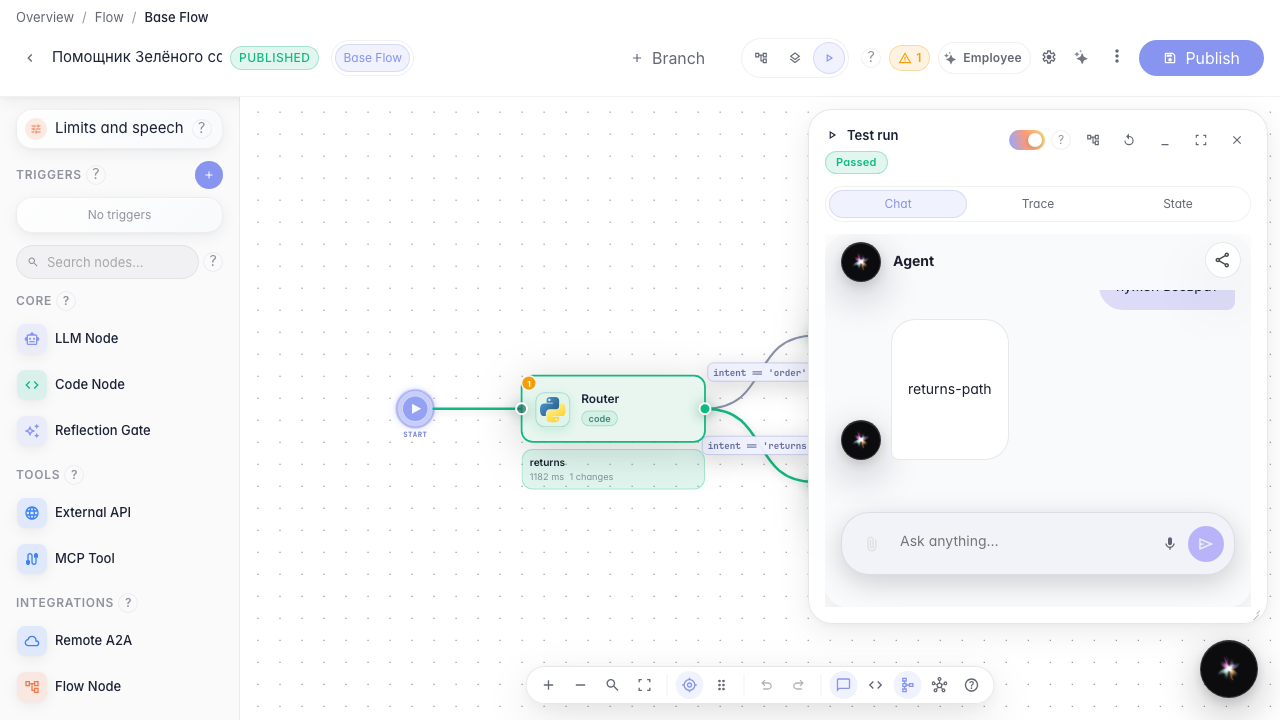
Result: a return request follows the Returns Agent branch, visible during a test run.
Step 1. Open the agent with a branch
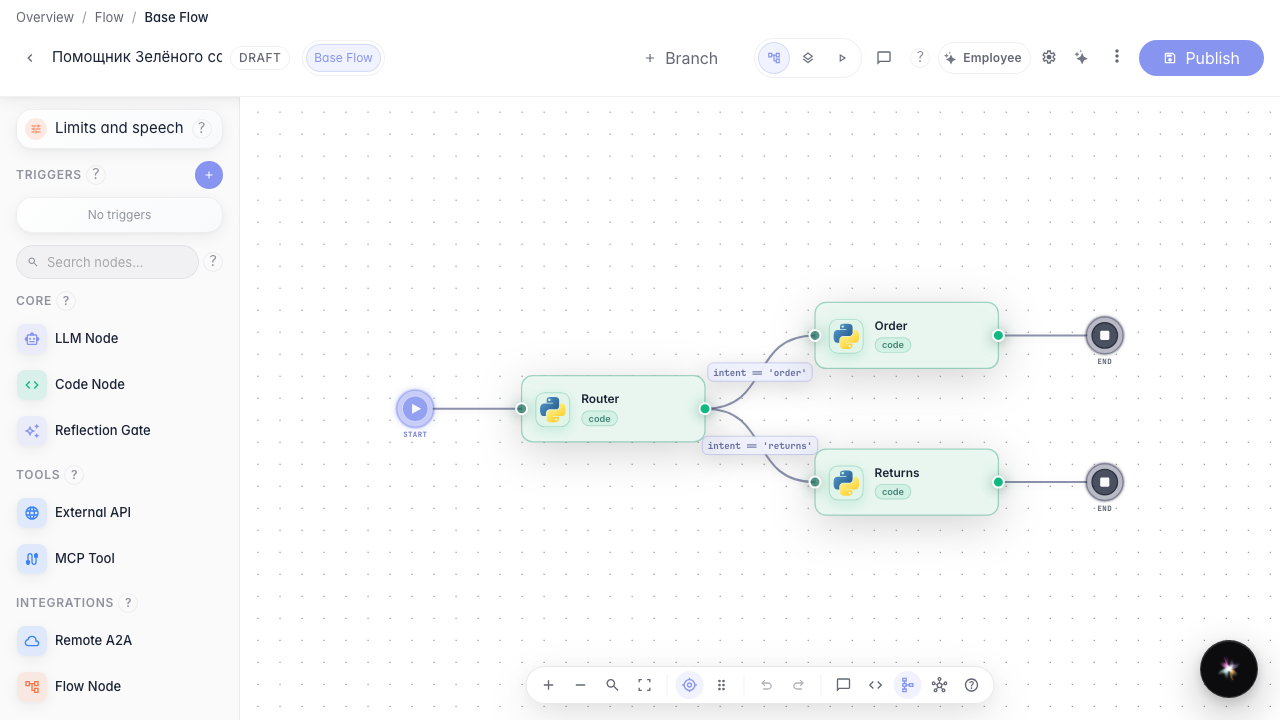
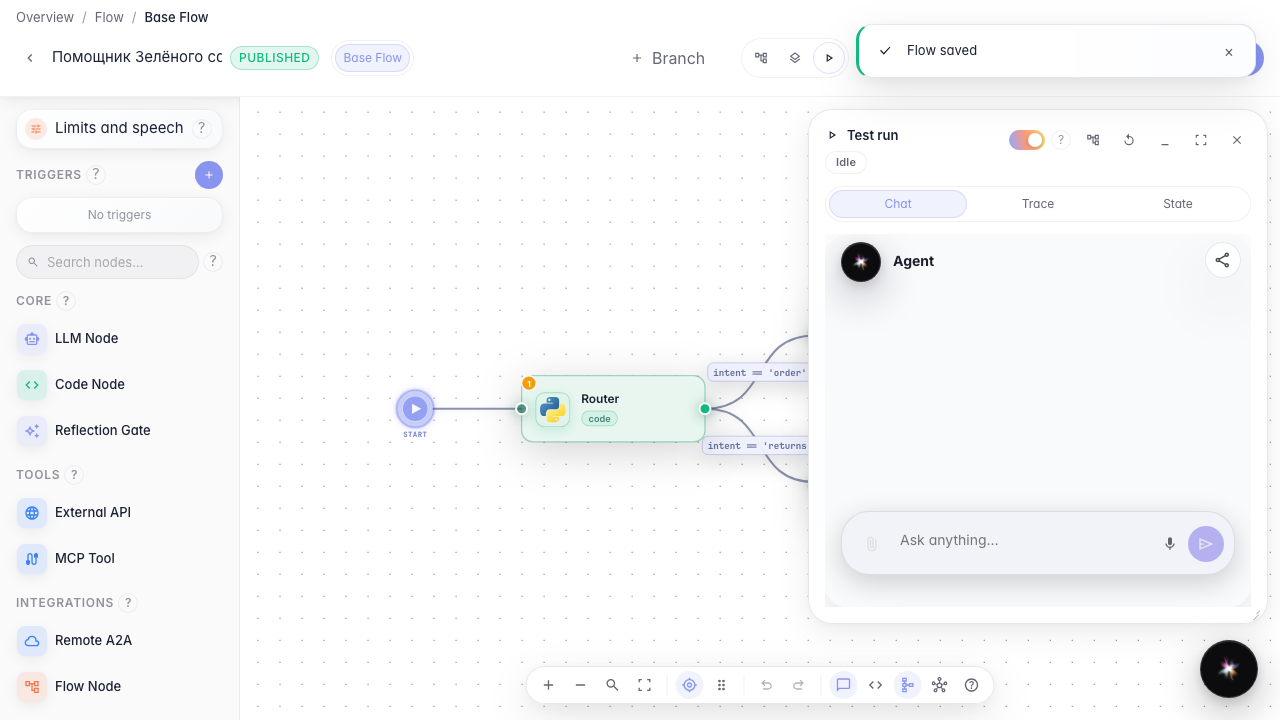
In the Green Garden Assistant editor there is already a router and two branches: a regular order path and the Returns Agent. This shows where different request types can go.
Step 2. Set the condition on the returns link
Click the label on the link to the Returns Agent block and set a condition: variable intent equals returns. The branch runs only for return requests.
Step 3. Publish the changes
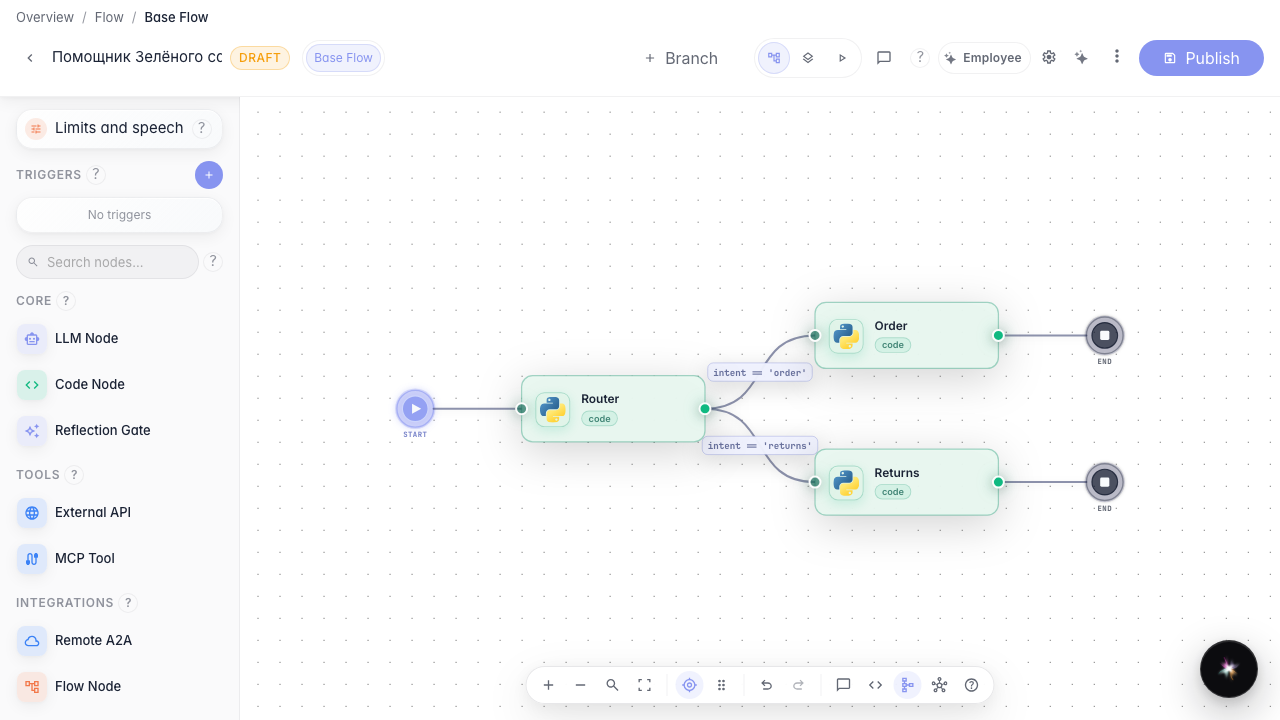
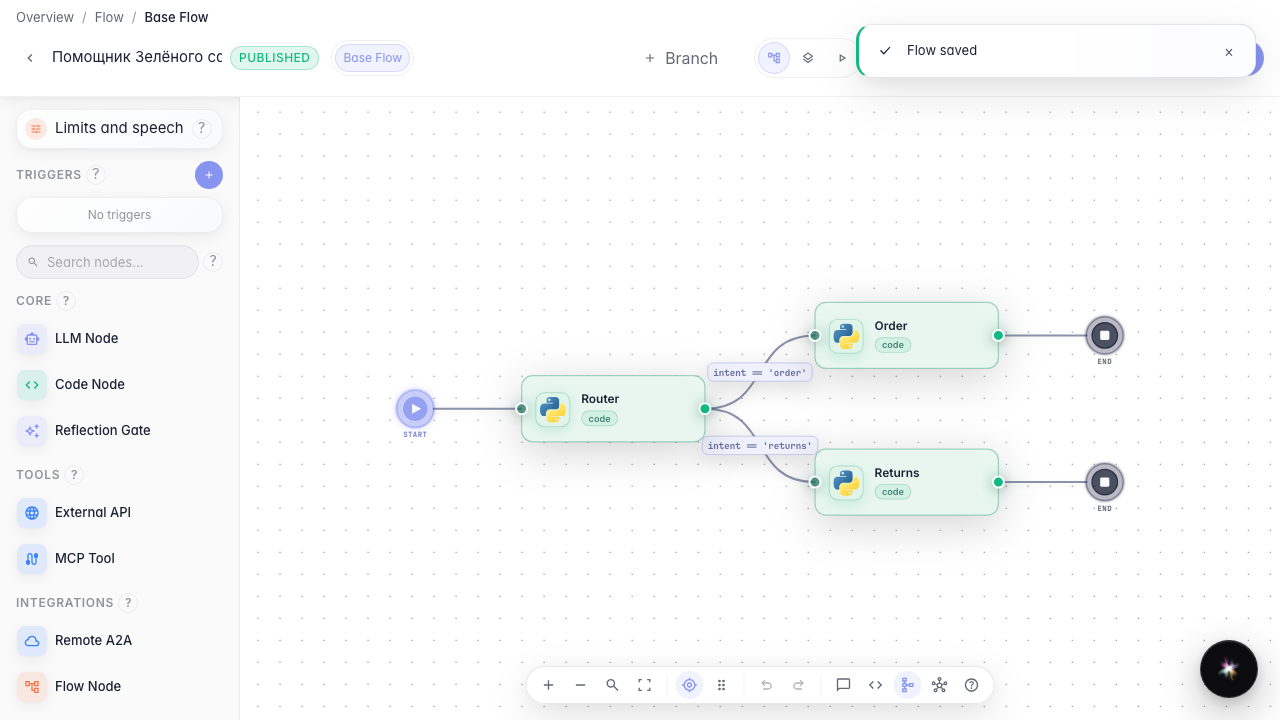
Click Publish so the link condition becomes the live agent version. Without publishing, a test run would still use the old rules.
Step 4. Switch to run mode
In the editor header, choose Run mode. A chat panel opens on the right where you can test the agent without leaving the editor.
Step 5. Verify the returns branch
Result demonstration. Send «нужен возврат» and wait for a returns-path reply in the run chat — the Returns Agent branch ran. The canvas highlights the path that executed.
Summary. You can now route Green Garden customers down different branches using link conditions.