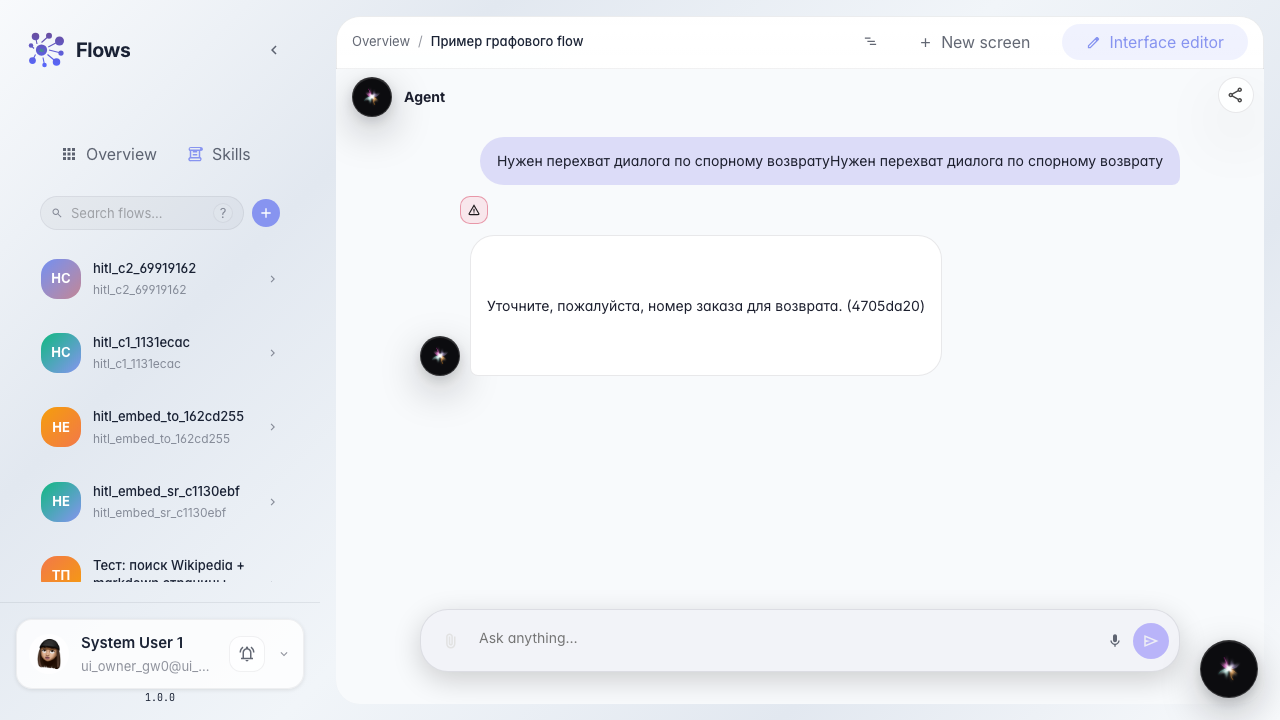
Operator takes over the live dialog
What for: this guide shows dialog takeover mode when operator Marina needs a conversation, not a single reply.
Problems it solves: for a disputed return one message is not enough; details must be clarified in a live dialog.
Result: Marina chats in the task, completes it, and the agent picks up the outcome and continues with the customer.
Step 1. Open the takeover-mode task
In the demo agent chat, type takeover trigger text; a full dialog takeover task is created. Open it in Tasks: the center shows the same chat the customer has.
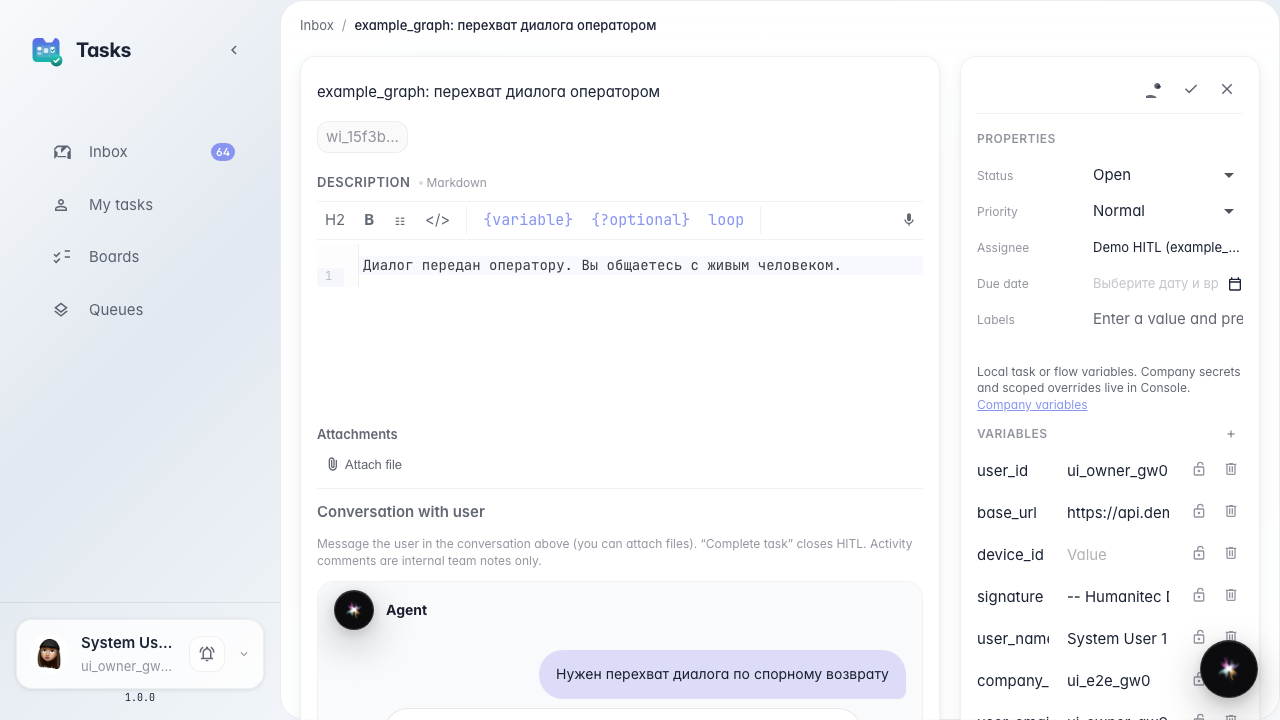
Step 2. Write to the customer in the task chat
Claim the task and send a follow-up in the embedded chat, not in Activity. In takeover this is a live dialog with the customer.
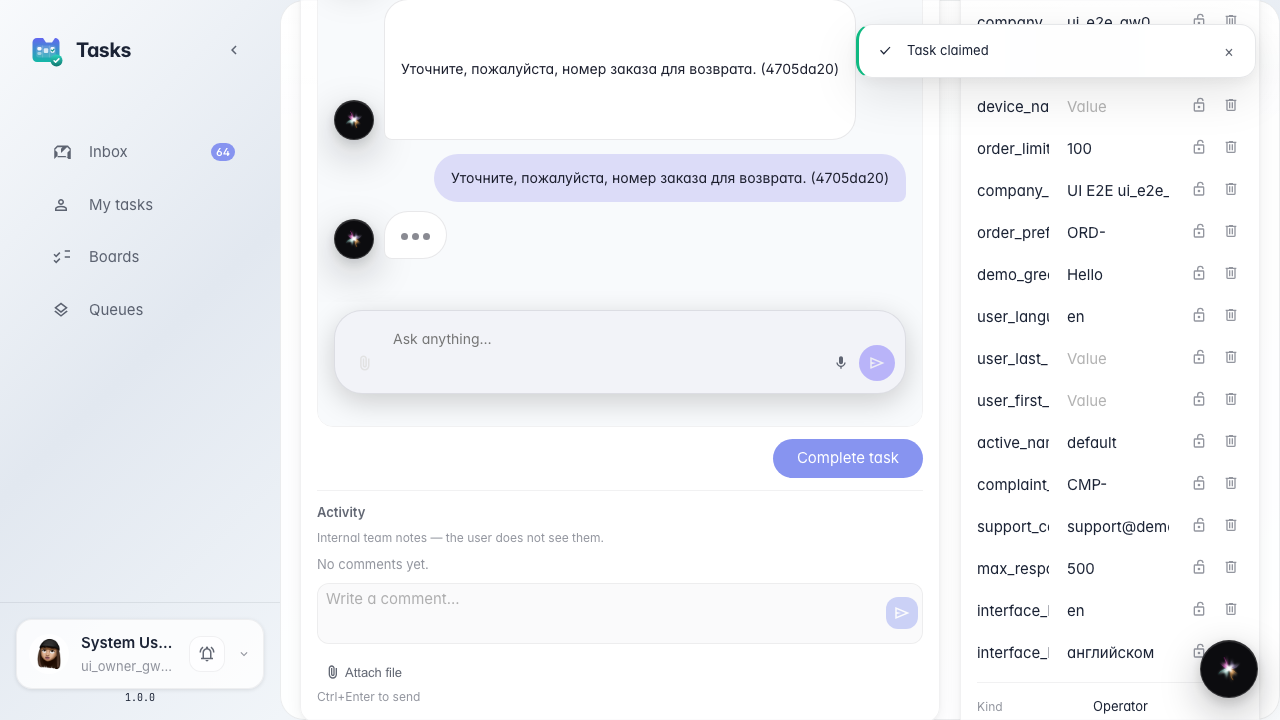
Step 3. Click Complete task
When the details are in, click Complete task under the chat. This closes takeover and returns the dialog to the agent.
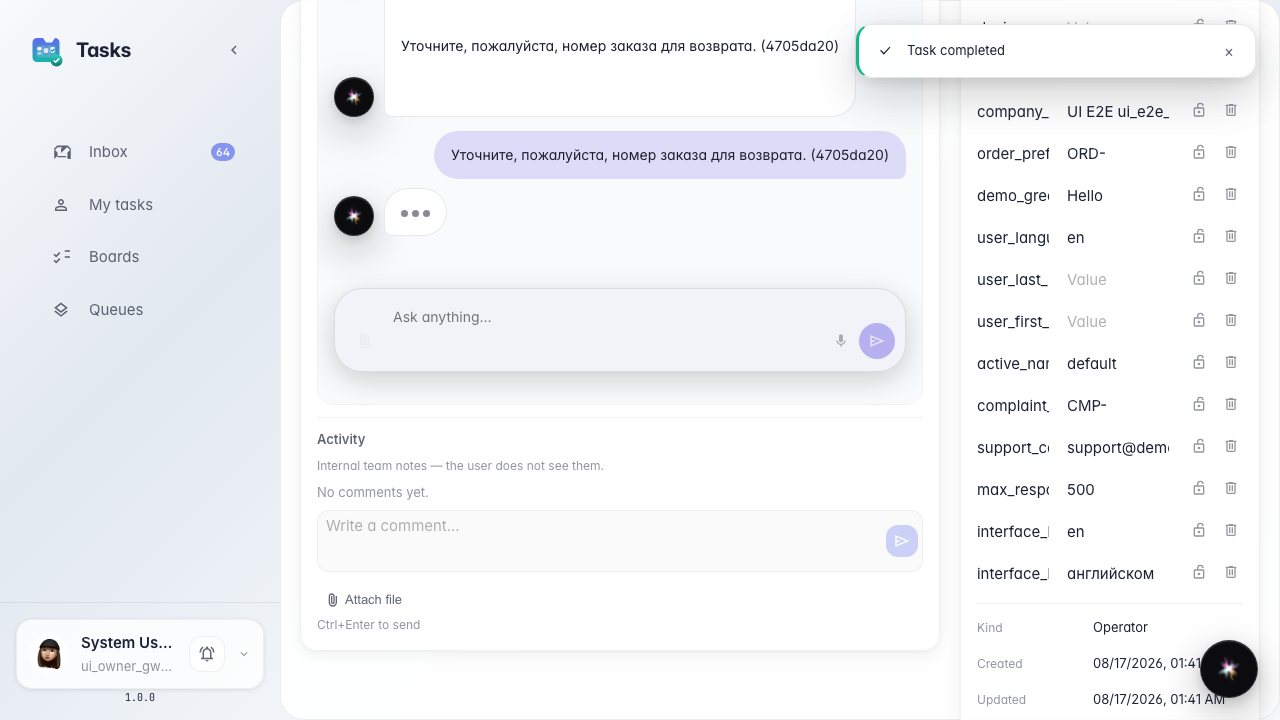
Step 4. Confirm the agent continued the dialog
Result demonstration. The customer chat shows Marina's reply from the embedded chat. The waiting banner is gone — the agent picked up.
Summary. You can chat in the task and end takeover with the button, not with an Activity comment.