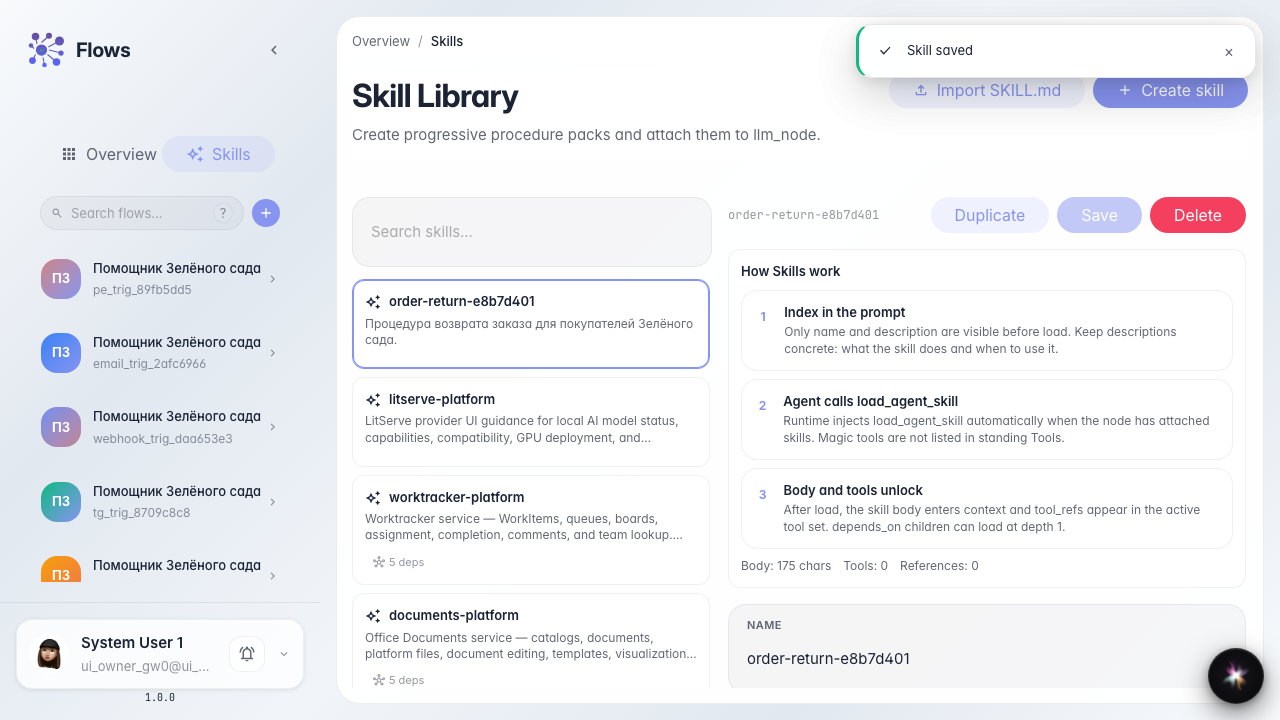
Create the Order return Skill
What for: this guide helps you create a procedure (Skill) for the store assistant — a step-by-step order return scenario.
Problems it solves: it is unclear where the Skills library is and how a Skill differs from a tool or a graph branch.
Result: the Order return Skill is in the library with name, description, and procedure text.
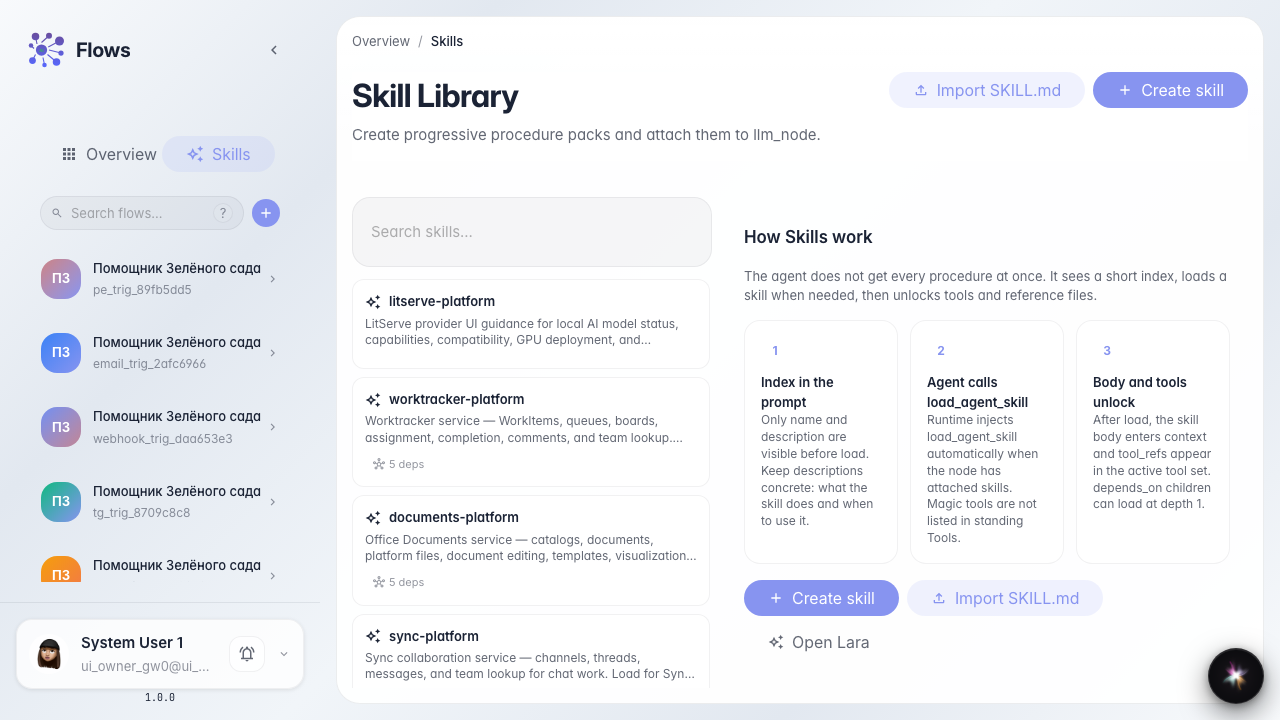
Step 1. Open the Skills library
In Flows open the Skills section. Procedures live here that the agent can load when needed — not a graph branch and not a standing Tools chip.
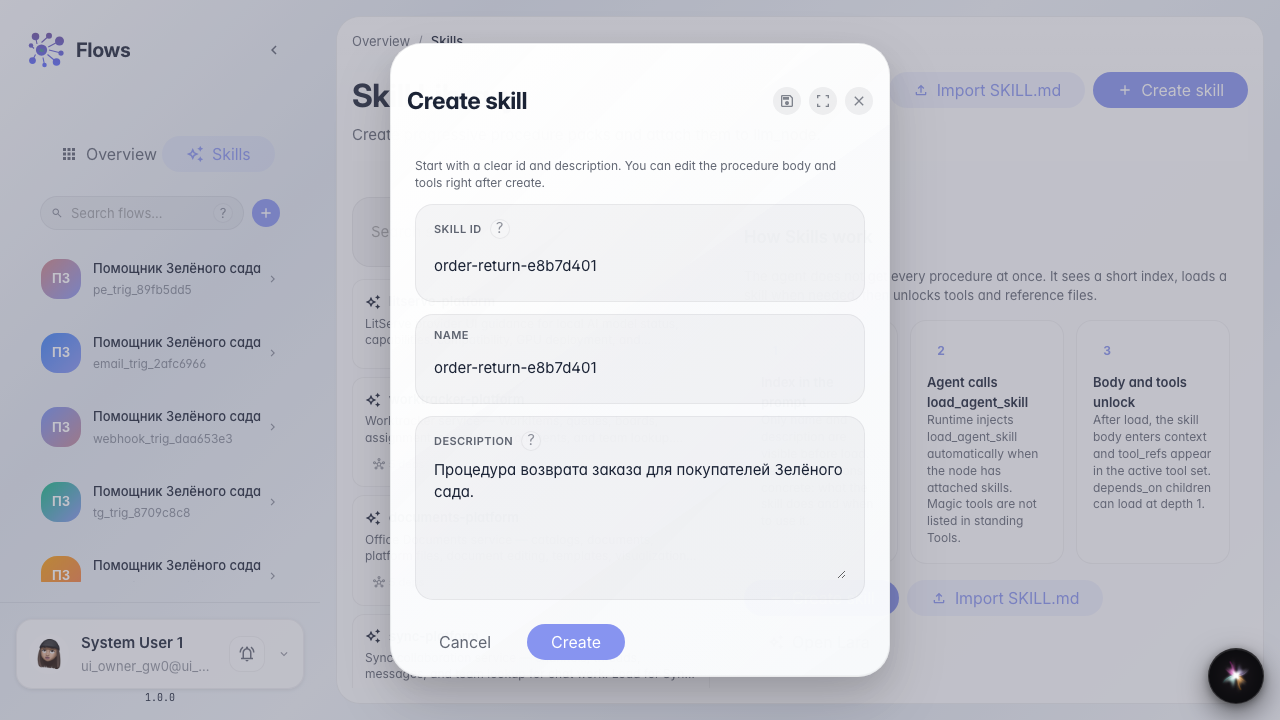
Step 2. Fill id, name, and description
In the create form set a short latin id (for example order-return), the same value as the name, and a description about Green Garden returns so the Skill is easy to find.
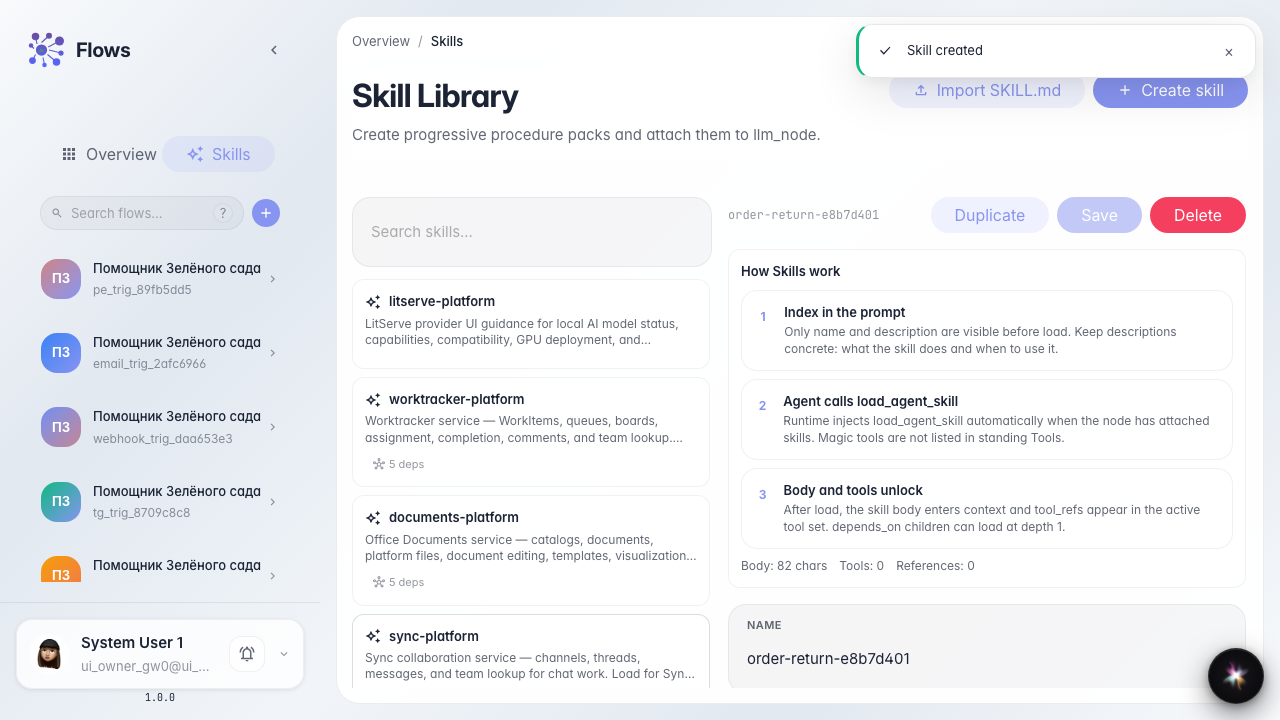
Step 3. Create the Skill and open the editor
Click Create. The procedure editor opens — write the steps the agent reads after the Skill is loaded.
Step 4. Write the procedure and save
Describe the Green Garden return steps and save. Procedure text is guidance for the agent, not graph code.
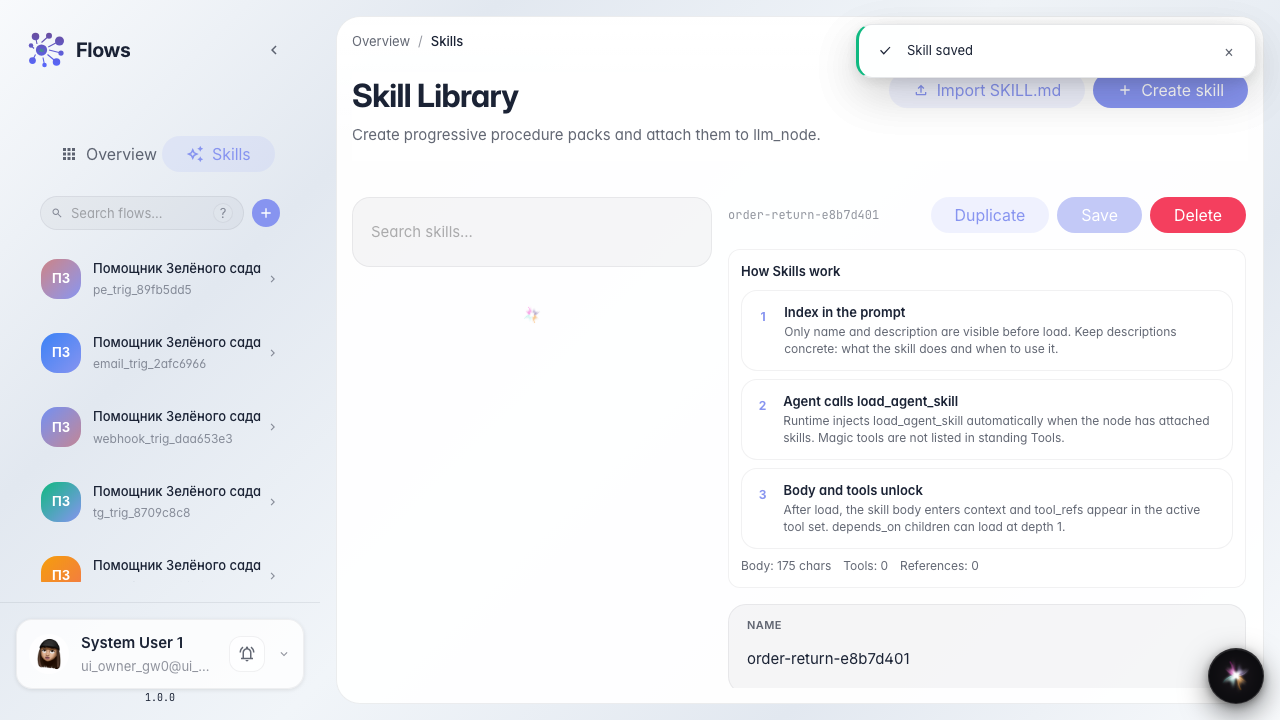
Step 5. Confirm the Skill is in the library list
Result demonstration. The Skills list shows the return procedure card — you can attach it to agents.
Summary. You can open the Skills library, create a procedure, and save its text.